
If your budget doesn’t have enough funds for a purchase, you can request additional money from your admin or budget owner.
Request on mobile
- Open the Budgetly app and tap Budgets.
- Select the budget you need more funds for.
- Tap Request money.
- Enter the amount you need.
- Add a reason explaining what the funds are for.
- Tap Submit Request.
Request on desktop
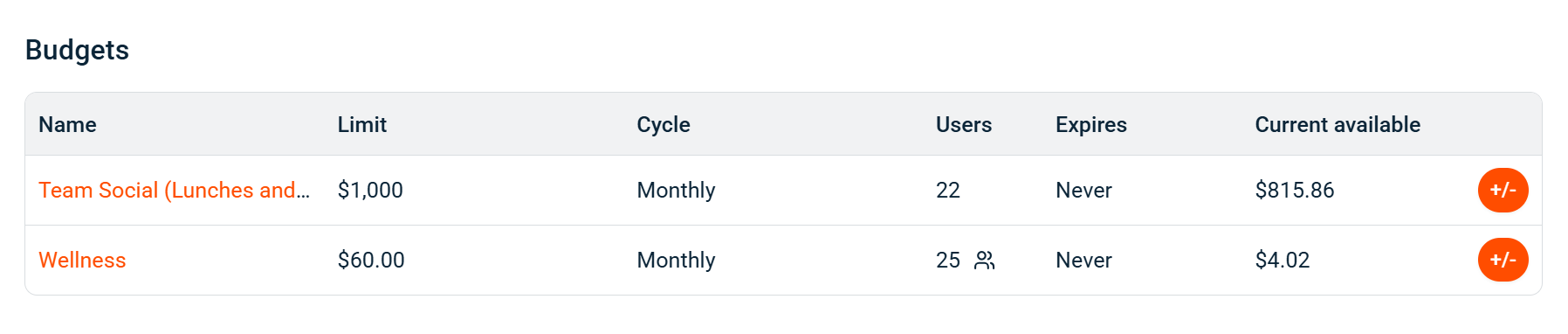
- On your dashboard, find the budget you need funds for in the Budgets list.
- Click the +/- button on that budget’s row.
- Enter the Amount and a Reason for the request.
- Select Request money to submit.
Your admin or budget owner is notified and can approve or decline the request. You’ll receive a notification with the outcome.
Common questions
How long does it take to get approved?
It depends on your admin. The request stays in their Awaiting approval queue until they act on it.
Can I cancel a request?
Yes. You can cancel a pending request and submit a new one with a different amount or reason.
What if my request is declined?
You’re notified of the decline. You can submit a new request with a different amount or reason.