
Pausing a budget temporarily prevents all members from spending against it. You can resume it at any time.
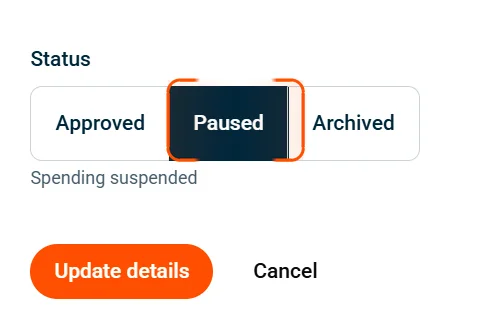
| Status | What happens |
|---|---|
| Approved | Budget is active — members can spend |
| Paused | Spending blocked — cards decline, balance preserved |
| Archived | Removed from active list — no spending, data retained |
Important: Only admins with the Manage all budgets permission can pause or resume a budget.
How to pause a budget
- Click Budgets in the sidebar.
- Select the budget you want to pause.
- Click the Edit budget button in the top right.
- Scroll down to the Status section.
- Select Paused.
- Click Update details.
The budget status changes to Paused and all spending from this budget is blocked immediately.
How to resume a paused budget
- Navigate to Budgets in the sidebar.
- Click the Paused status filter at the top of the page to show only paused budgets.
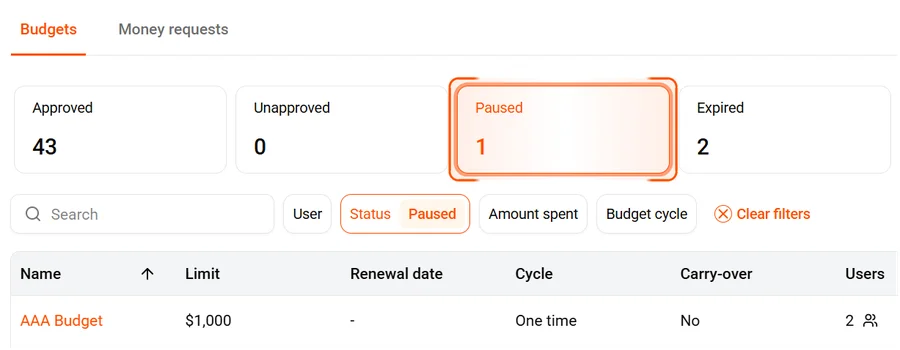
- Select the budget you want to resume.
- Click the Resume budget button in the top right.
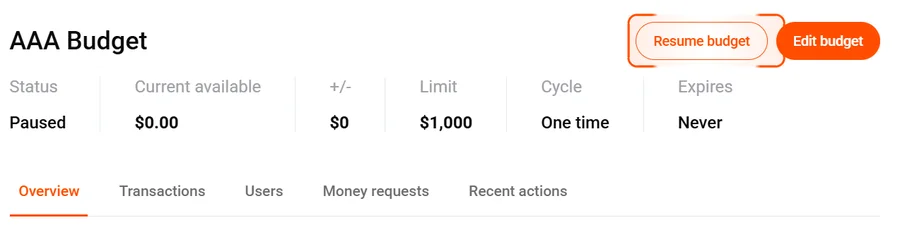
Spending is re-enabled immediately for all members.
What happens when a budget is paused
- Cards linked to the budget will decline if a member attempts to spend.
- The budget’s balance and history are preserved.
- Members can still view the budget but cannot spend.
Common questions
What's the difference between pausing and archiving?
Pausing is temporary — resume any time. Archiving removes the budget from your active list entirely, though it can be unarchived.
Do members get notified when a budget is paused?
Members aren’t notified directly, but their cards will decline if they try to spend from the paused budget.
Does pausing affect the budget cycle?
No. The cycle continues as normal. If the budget resets while paused, the balance resets but spending remains blocked until you resume.