
Buddy is your AI assistant in Budgetly. Forward receipts and invoices to your unique Buddy email address — it attaches receipts to transactions and creates bills from invoices automatically.
| What you send | What Buddy does |
|---|---|
| Receipt | Matches it to the correct transaction and attaches it automatically |
| Invoice | Creates a new bill in Draft status with extracted details |
How to find your Buddy email address
Tip: Save this email address as a contact in your email app so you can quickly forward receipts and invoices.
- Navigate to Transactions in the sidebar.
- Click the Email receipts button in the top-right corner.
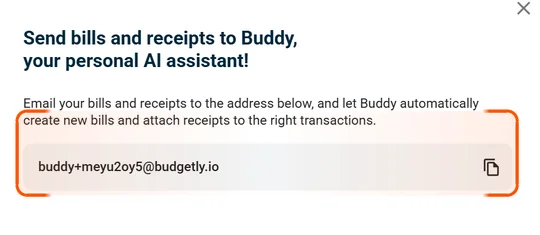
- A dialog appears showing your unique Buddy email address.
- Click the copy button to copy the address to your clipboard.
What Buddy does with your emails
Receipts:
- Buddy matches the receipt to the correct transaction based on the amount, date, and merchant.
- The receipt is automatically attached to the transaction.
Invoices:
- Buddy creates a new bill in Draft status.
- It extracts the supplier name, amount, due date, and other details from the invoice.
- You can review and edit the bill before submitting it for payment.
Note: A draft bill opens on a single page. Select a budget and category before you pay — if your company uses AI Bookkeeping, these are filled in for you when the supplier is set.
Tips for best results
- Forward the original email with the receipt or invoice attached — don’t screenshot it.
- One receipt or invoice per email works best.
- Buddy works with PDF, image, and most common document formats.
Common questions
Does every user get their own Buddy email address?
Yes. Each user has a unique Buddy email address. Find it under Transactions > Email receipts.
What if Buddy can't match a receipt to a transaction?
The receipt stays in your Buddy inbox for manual review. You can attach it to the correct transaction yourself.
Can Buddy create bills from photos of invoices?
Yes. Buddy works with PDF, image, and most common document formats. For best results, forward the original email rather than a screenshot.