
When you first log in as an admin, your Dashboard shows a setup wizard to help you get started.
Important: Your authorised signatory must verify their identity and open your Spend Account first. Cards and deposits are locked until this is done.
Setup checklist
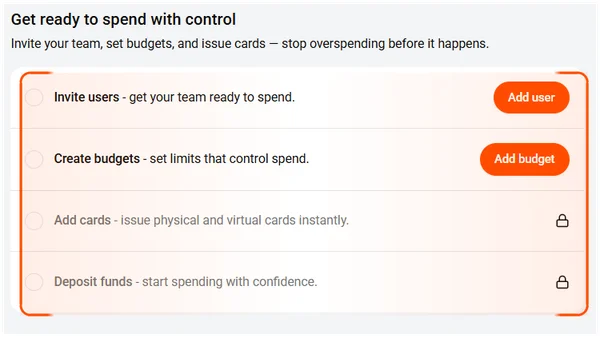
Your Dashboard displays four steps to complete. Each step has a button you can click directly from the checklist.
| Step | What it does | Prerequisite |
|---|---|---|
| Add user | Invite team members to your account | None |
| Add budget | Create spending limits for your team | None |
| Add cards | Issue virtual or physical Visa cards | Spend Account must be open |
| Deposit funds | Transfer money into your Spend Account | Bank account must be verified |
Tip: You can add users and create budgets while waiting for your Spend Account to open.
- Click Add user to invite your team and get them ready to spend.
- Select Add budget to set limits that control spend.
- Choose Add cards to issue physical and virtual cards instantly.
- This unlocks once your Spend Account is open.
- Navigate to Deposit funds to start spending with confidence.
- This unlocks once you’ve verified a bank account.
Note: The checklist stays on your Dashboard until all four steps are done. You can complete them in any order.
After setup
Once all steps are complete, the Dashboard switches to your live view showing your balances, recent transactions, pending approvals, and items needing attention.
Common questions
Do I have to complete the setup steps in order?
No. You can complete them in any order, but some steps depend on others — for example, you can’t issue cards until your Spend Account is open.
Can I skip the setup wizard and come back later?
Yes. The checklist stays on your Dashboard until all four steps are done. You can close the browser and return any time.
How long does the full setup take?
Most of the setup takes minutes. The main wait is compliance verification for your Spend Account, which can take a few business days depending on your business type.