
During account setup, you’ll choose a subscription plan and complete checkout before you can start using Budgetly.
Available plans
Budgetly offers three plans. All prices are in AUD and exclude GST.
| Essentials | Premium | Enterprise | |
|---|---|---|---|
| Monthly price | $119/month | $299/month | Custom |
| Annual price | $99/month | $279/month | Custom |
| Cards included | 4 | 10 | Custom |
| Additional cards | $10/card/month | $10/card/month | Custom |
| Buddy AI | — | ✓ | ✓ |
| Tags & custom budget cycles | — | ✓ | ✓ |
| GST extraction | — | ✓ | ✓ |
| Money requests | — | ✓ | ✓ |
| SSO | — | — | ✓ |
| Dedicated account manager | — | — | ✓ |
All plans include unlimited users, unlimited payments, mobile app, receipt upload, Xero integration, and support. For a full feature comparison, visit budgetly.com.au/compare-plans.
How to complete checkout
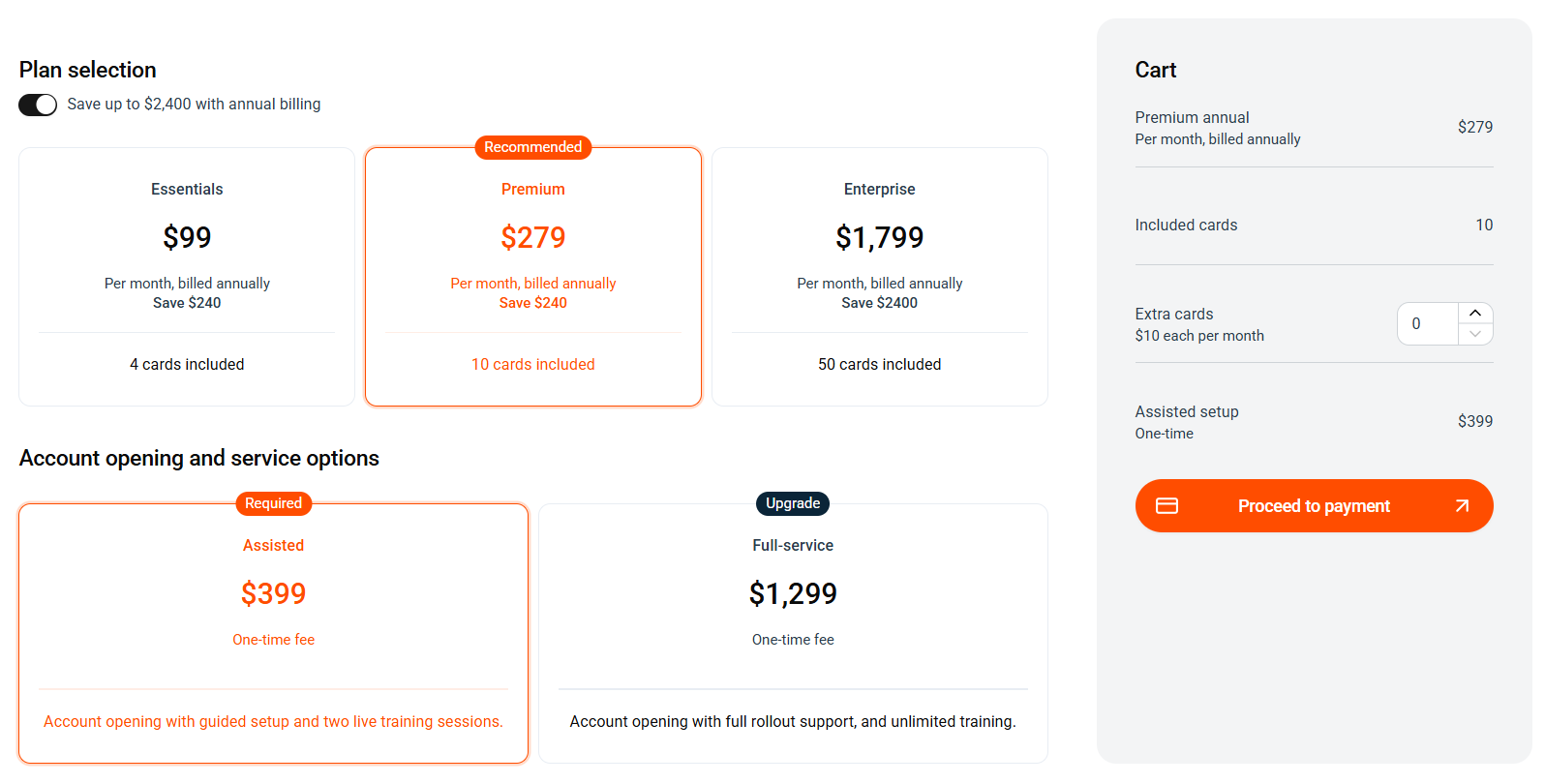
- Navigate to the Plan selection page. New accounts are directed here automatically.
- Toggle the annual/monthly switch to compare pricing. Annual billing saves up to $2,400.
- Select your preferred plan. Premium is marked as recommended.
- Choose an account opening and service option:
- Assisted ($399) — guided setup with two live training sessions.
- Full-service ($1,299) — full rollout support with unlimited training.
- Review your selections in the Cart on the right.
- Click Proceed to payment to complete billing.
After checkout
Once payment is confirmed, you’re redirected to your Dashboard where the setup wizard begins. See How to get started with Budgetly for next steps.
Common questions
Can I change my plan later?
Yes. You can upgrade or downgrade at any time from the Plan & billing page. See How to upgrade or change your plan for steps.
Is there a free trial?
Budgetly doesn’t offer a free trial, but you can book a demo to see the platform in action before committing. Visit budgetly.com.au to get started.
What's the difference between Assisted and Full-service onboarding?
Assisted ($399) includes guided setup and two live training sessions. Full-service ($1,299) covers the full rollout with unlimited training — ideal if you’re rolling out to a larger team.